

Overview
Use the Details tab to review and update the Client information your team uses across client work. The available sections can include Basic Information, Service Information, Mailing address, Tags, Workspace fields when configured, Custom data when applicable, Additional Fields, Notes, and Call transcripts.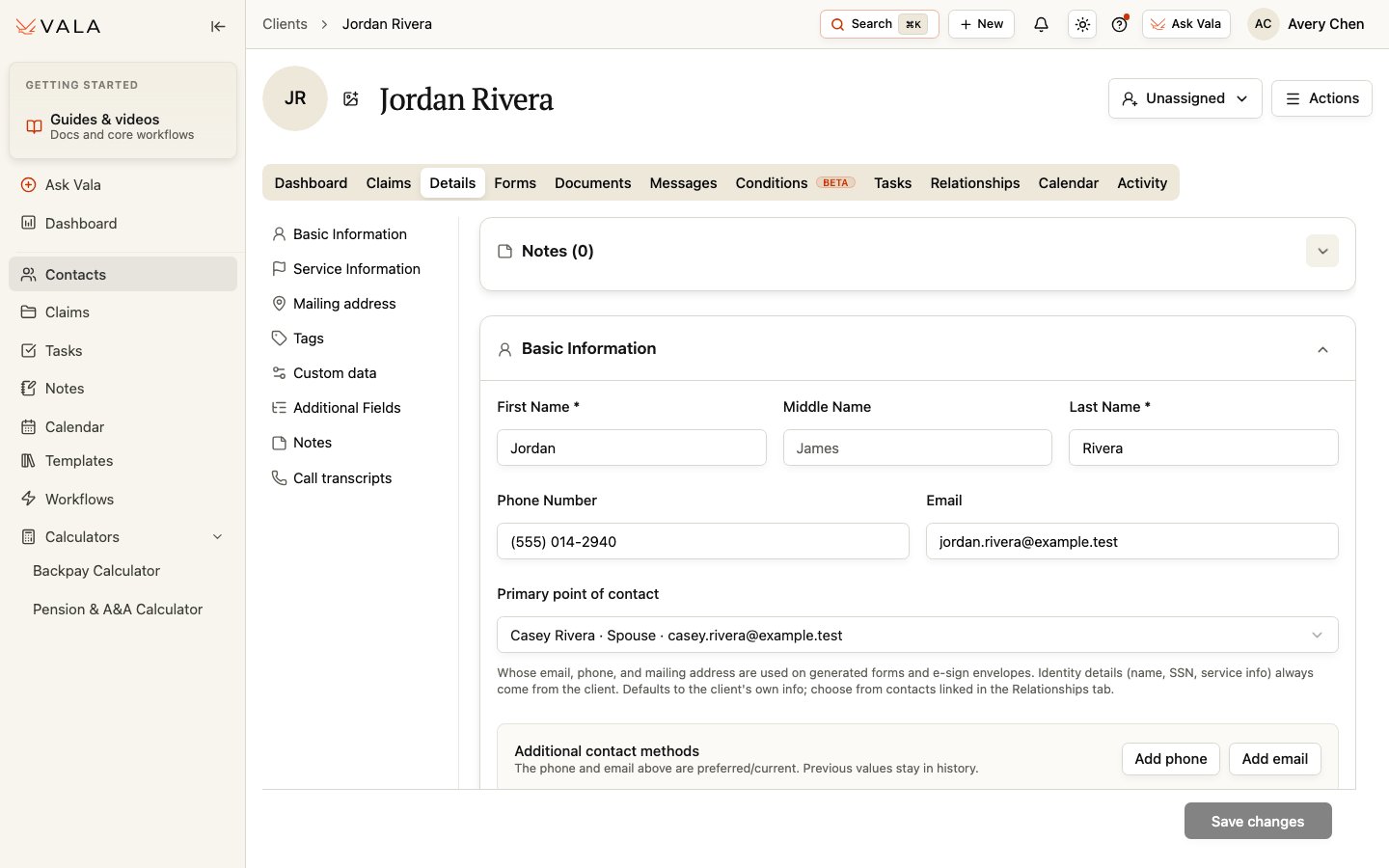
Before you begin
Confirm that you have opened the correct Client record and have an approved source for any information you plan to change.Update Client information
1
Open Details
Open the Client record and select Details.
2
Review the relevant section
Use the section navigation to find the information you need. Complete only the fields shown for your organization and role.
3
Edit and save
Make the needed change and select Save changes.
4
Verify the result
Confirm the saved information against your approved source before using it in a document, form, or client communication.
Review suggested information carefully
Details can show Client field suggestions from available records. Review each suggestion against the source material before accepting it or relying on it. A suggestion is not a replacement for your team’s verification process.Primary point of contact
You can select a saved related Contact as the Primary point of contact. This helps make the related contact’s contact information available where supported, while the Client’s identity information remains the Client’s. Manage related contacts and the saved Primary POC in Relationships.Best practices
- Keep identity and service information consistent with approved records.
- Use Tags and organization-defined fields consistently so your team can find and organize work.
- Keep Notes focused on useful client context and follow your organization’s recordkeeping practices.
Related workflows
Relationships
Manage related Contacts and the Primary POC.
Forms & vSign
Review Client information before preparing or sending forms.