

Overview
Contacts is the workspace for the people and organizations involved in your Vala work. Clients is the default view. A Client has the full Vala case and workflow record for one veteran. Other Contacts are reusable people or organizations you can relate to Clients when needed.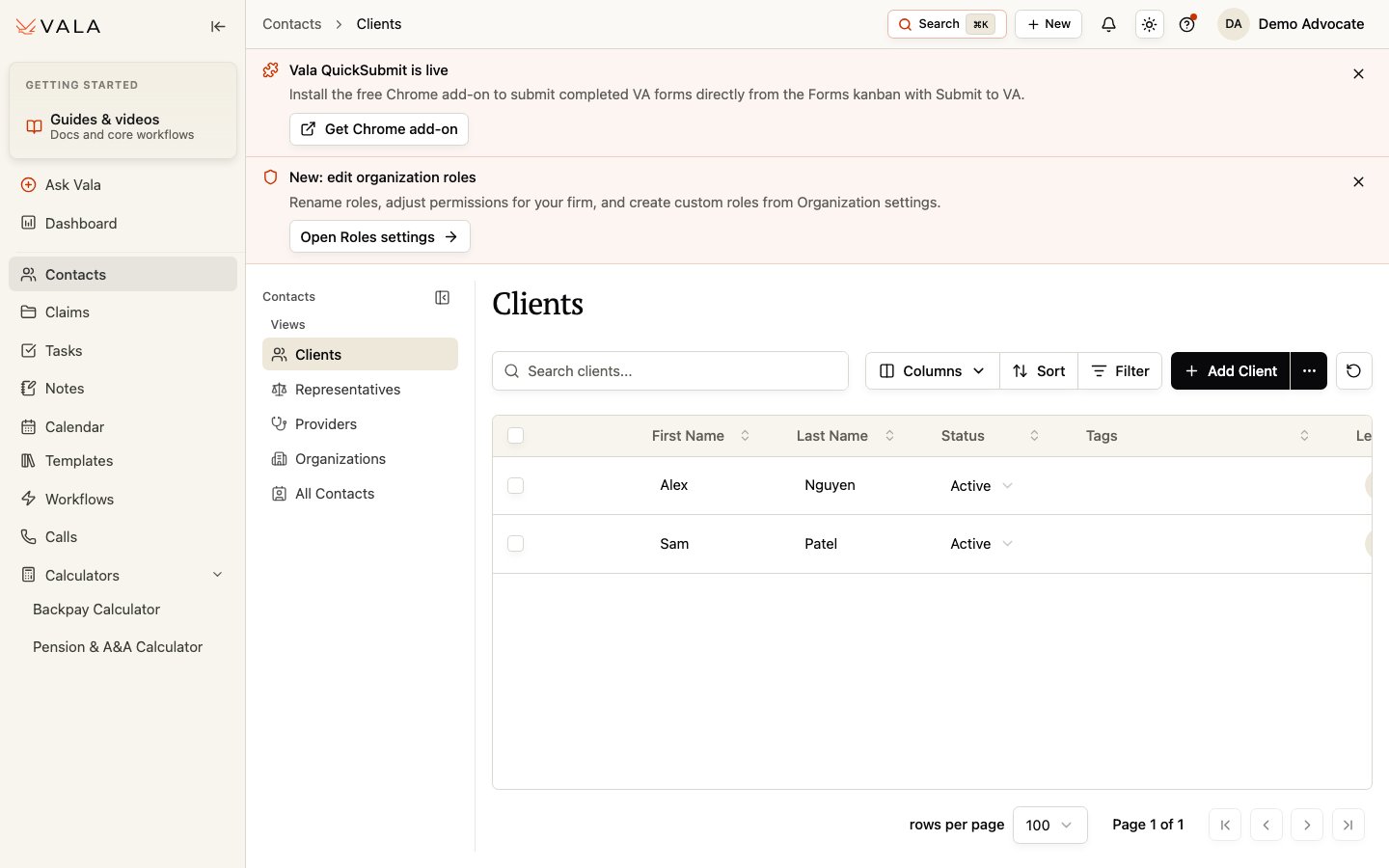
Find the right contact
Use the view that matches the work you need to do:- Clients for veterans with a full Client record.
- Representatives for reusable representative contacts.
- Providers for reusable provider contacts.
- Organizations for reusable organization contacts.
- All Contacts when you need to search across the available contact types.
Add or open a Client
1
Open Contacts
Select Contacts from the global navigation.
2
Choose Clients
Use Clients to review existing Client records first.
3
Search and filter
Search by the available Client information or use table controls to narrow the list.
4
Open or add
Open the matching Client record, or select Add Client if the Client does not already exist.
Best practices
- Check for an existing Client or Contact before adding another record.
- Use Client for the Vala interface record and veteran naturally for the person being represented.
- Link related people and organizations through Relationships instead of duplicating information across Client records.
Related pages
Add Your First Client
Create a Client record during onboarding.
Client record overview
Choose the right Client workspace.