

Overview
The History tab records Claim changes so your team can review what changed and when. Each entry can show the change, previous value, new value, person, and timestamp. Some entries are marked Audit and others Activity when that context is available in the record.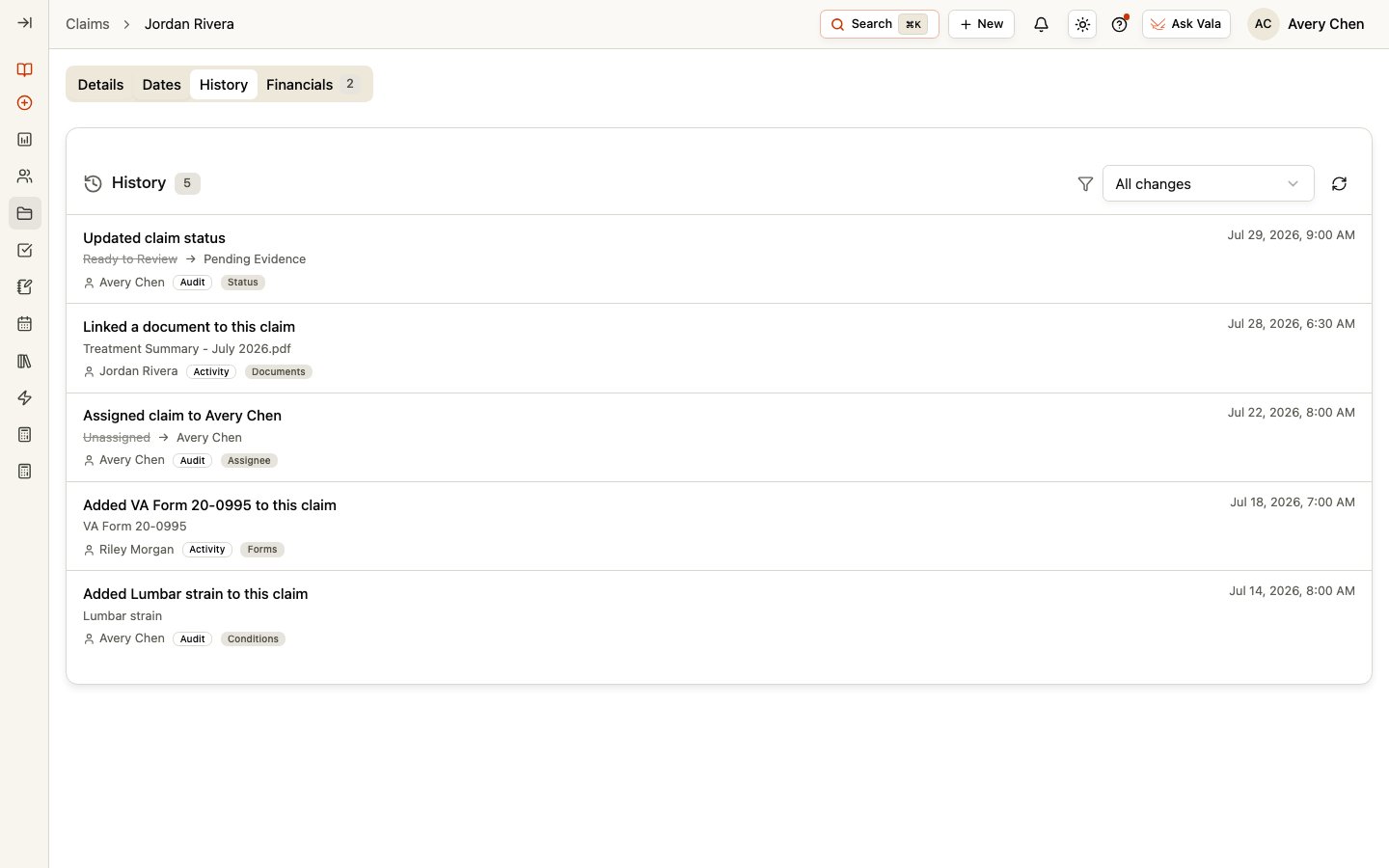
Filter the history
Use the filter to show All changes or narrow the list to Status, Review lane, Category, Stage, Tags, Assignee, Custom fields, Dates, Documents, Forms, Tasks, or Conditions. Use refresh when you need the latest recorded entries, and page through the list when more entries are available.History and comments serve different purposes
Use History to review recorded Claim changes. Use the Comments section in Claim Details for internal discussion and working context. Comments do not replace the change record, and Client messages belong in the Client’s Messages workspace.Related pages
Claim Details
Review the current Claim fields and connected work.
Claims
Return to the global Claims workspace.