> ## Documentation Index
> Fetch the complete documentation index at: https://docs.valaclaims.com/llms.txt
> Use this file to discover all available pages before exploring further.
# Activity
> Review the Client-specific operational feed and open related work.
## Overview
**Activity** is the Client-specific operational feed. It brings together relevant updates so you can see what changed, what is new, and where to continue the work.
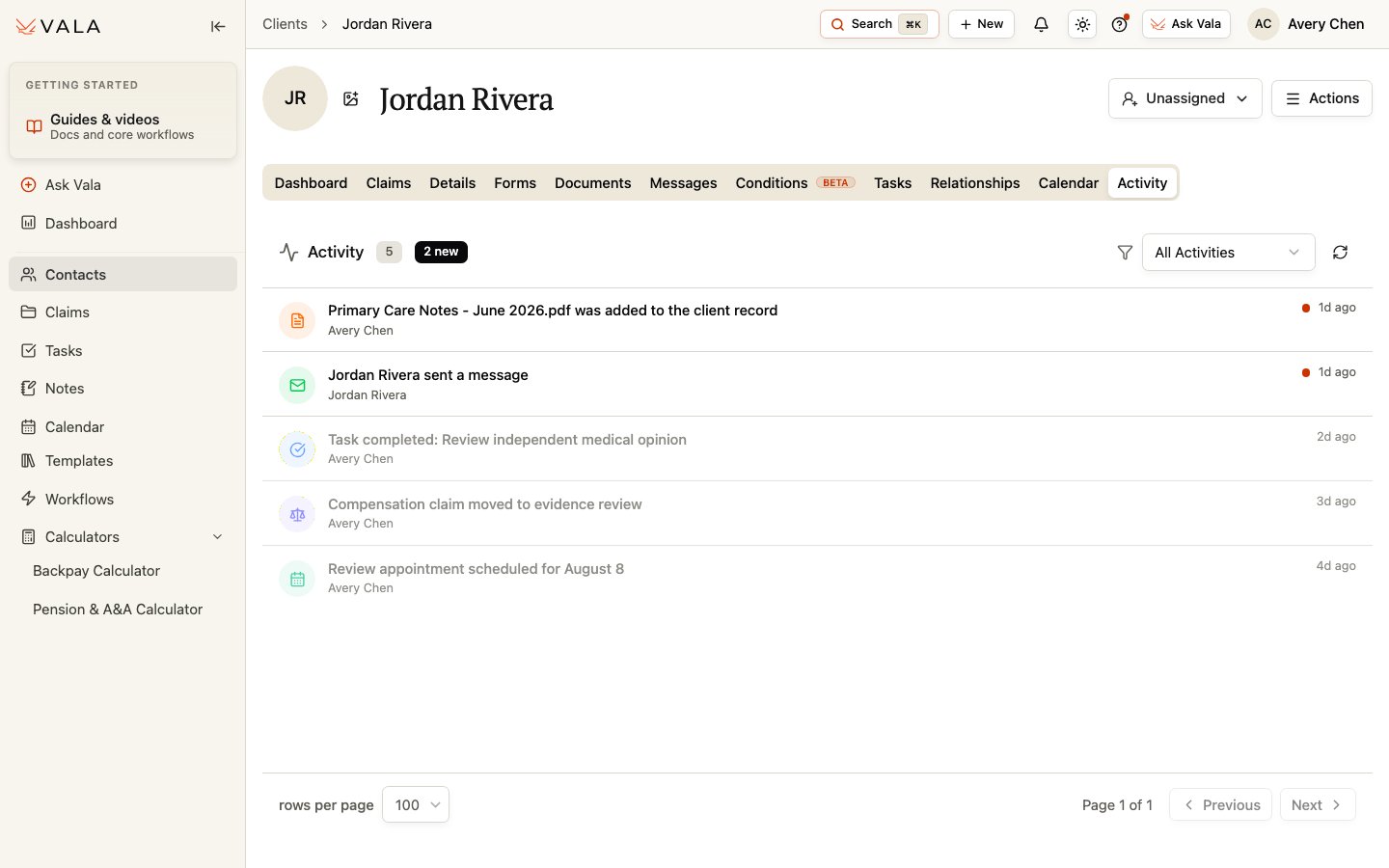 *Unread items are marked so you can prioritize new Client-specific activity.*
## Review activity
Open the Client record and select Activity.
Choose All Activities or narrow the list to Tasks, Messages, Documents, Client Updates, Claims, Calls, Calendar, Deadlines, or System.
Select an activity item when a related destination is available. New items are marked until they are read.
Use refresh when you need the latest activity and adjust rows per page or pagination when the feed is longer.
## Best practices
* Use the filter to focus on the type of change you need to review.
* Open the linked Client, Claim, Document, message, or task before acting on an activity entry.
* Treat Activity as context for the work, not as a replacement for reviewing the underlying record.
## Related workflows
Manage Client-specific follow-up work.
Review records and supporting material.
*Unread items are marked so you can prioritize new Client-specific activity.*
## Review activity
Open the Client record and select Activity.
Choose All Activities or narrow the list to Tasks, Messages, Documents, Client Updates, Claims, Calls, Calendar, Deadlines, or System.
Select an activity item when a related destination is available. New items are marked until they are read.
Use refresh when you need the latest activity and adjust rows per page or pagination when the feed is longer.
## Best practices
* Use the filter to focus on the type of change you need to review.
* Open the linked Client, Claim, Document, message, or task before acting on an activity entry.
* Treat Activity as context for the work, not as a replacement for reviewing the underlying record.
## Related workflows
Manage Client-specific follow-up work.
Review records and supporting material.