> ## Documentation Index
> Fetch the complete documentation index at: https://docs.valaclaims.com/llms.txt
> Use this file to discover all available pages before exploring further.
# History
> Review recorded Claim changes and narrow the history to the field group you need.
## Overview
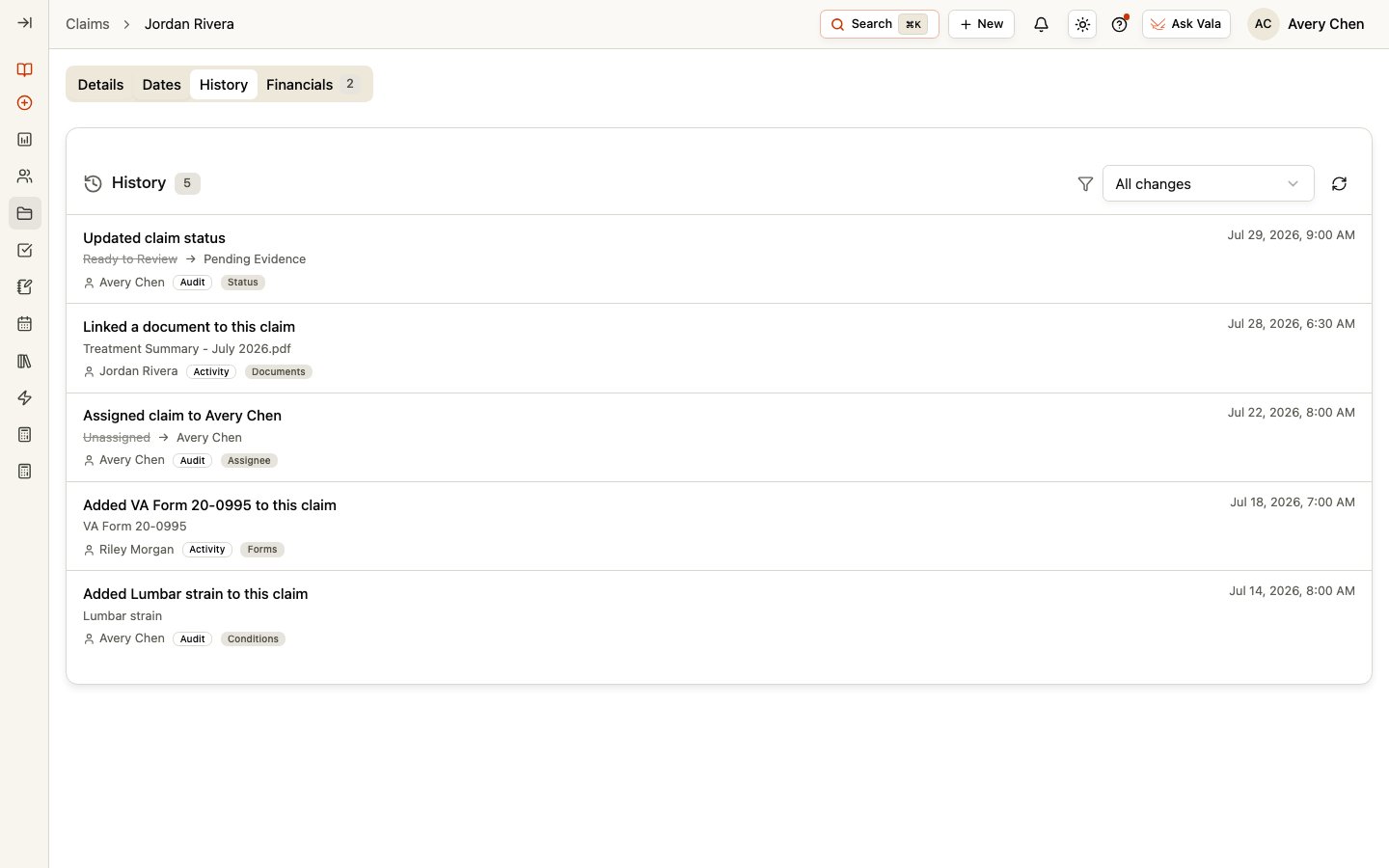
The **History** tab records Claim changes so your team can review what changed and when. Each entry can show the change, previous value, new value, person, and timestamp. Some entries are marked **Audit** and others **Activity** when that context is available in the record.
 ## Filter the history
Use the filter to show **All changes** or narrow the list to **Status**, **Review lane**, **Category**, **Stage**, **Tags**, **Assignee**, **Custom fields**, **Dates**, **Documents**, **Forms**, **Tasks**, or **Conditions**. Use refresh when you need the latest recorded entries, and page through the list when more entries are available.
## History and comments serve different purposes
Use History to review recorded Claim changes. Use the **Comments** section in [Claim Details](/claims/details) for internal discussion and working context. Comments do not replace the change record, and Client messages belong in the Client's Messages workspace.
## Related pages
Review the current Claim fields and connected work.
Return to the global Claims workspace.
## Filter the history
Use the filter to show **All changes** or narrow the list to **Status**, **Review lane**, **Category**, **Stage**, **Tags**, **Assignee**, **Custom fields**, **Dates**, **Documents**, **Forms**, **Tasks**, or **Conditions**. Use refresh when you need the latest recorded entries, and page through the list when more entries are available.
## History and comments serve different purposes
Use History to review recorded Claim changes. Use the **Comments** section in [Claim Details](/claims/details) for internal discussion and working context. Comments do not replace the change record, and Client messages belong in the Client's Messages workspace.
## Related pages
Review the current Claim fields and connected work.
Return to the global Claims workspace.